Live Technical Support
Our SOLIDWORKS Technical Support team comprises of highly skilled and dedicated SOLIDWORKS-Certified technical individuals to assist on issues that are difficult to visualize or that cannot be resolved by email. Our remote tool includes encryption based on 2048 RSA private/public key exchange and AES (256-bit) session encryption to guarantee full client-to-client data protection during the session.
Email and Call Support
Email & Call Support
Email or call us at:
support(at)cad-vision(dot)com(dot)sg
Singapore: +65-6222 0111
Kuala Lumpur: +603-2630 6118
Penang: +604-505 7743
Johor: +607-350 7946
Business Hours: Monday to Friday (9 a.m. to 6 p.m.)
Report a Problem / Request Support
SOLIDWORKS Technical Support Policy
- BUSINESS IMPACT
- Initial Response
- Update
- Relief
- CRITICAL
- 2 Business Hours
- 3 Business Hours
- Work Continuously
- HIGH
- 2 Business Hours
- 5 Business Hours
- As soon as possible
- MEDIUM
- 2 Business Hours
- 1 Business Day
- Reasonable Effort
- LOW
- 2 Business Hours
- 2 Business Days
- Reasonable Effort
Critical
The software is not operational, no viable workaround exists, and/or the customers’ business is severely impacted. Typically, the issue is not isolated to specific files, but rather can be reproduced with multiple customer datasets; an exception to this is corrupt files that require repair – this can be a file-specific case.
High
A major software function is inoperable or not working as designed, work can continue but with significant impact to the business operations.
Medium
A software function is inoperable or not working as designed, work can continue with moderate impact to the business operations.
Low
No loss of functionality, this can be a documentation error, poor error message, a general queson and etc. This has no business impact on the customer.
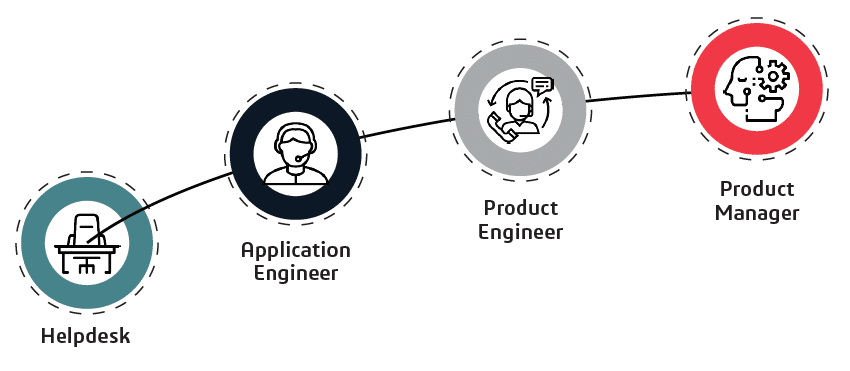
Level of Contact